How can I connect/link the readyMini Pay to my account?

For our Swiss customers: The readyMini Pay is not yet available in your country. However, the device will be available shortly. We thank you for your patience.
Please note that you can only link your readyMini Pay once readyPay has been activated for you . You can fill out and submit a readyPay application in your Admin Interface under the readyPay tab.
The connection to your ready2order POS system is quick and easy:
quick start Guide
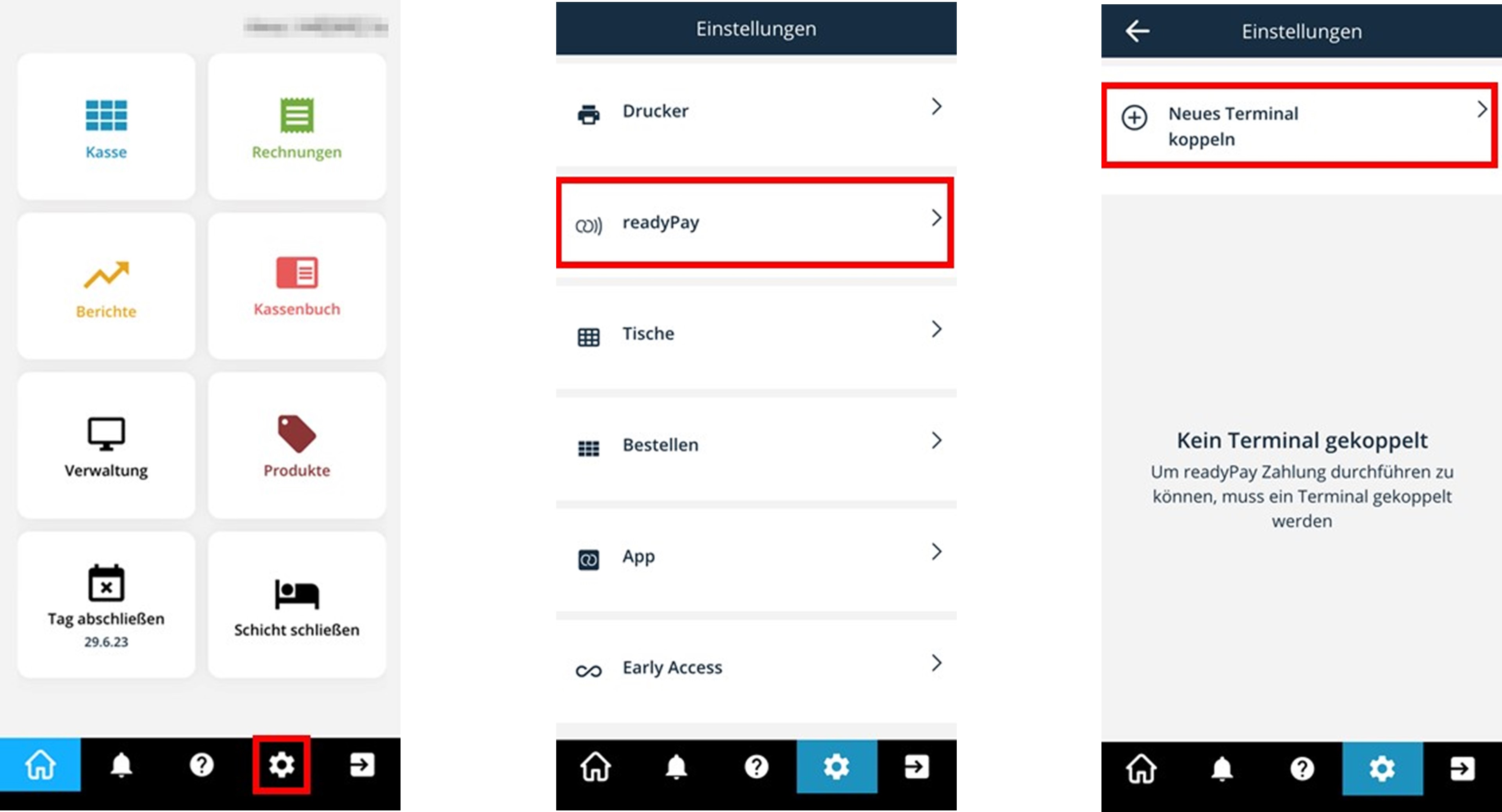
- Log into your cash register system on your device (e.g. readyMax, smartphone, PC)
- Tap settings (gear)
- Select readyPay and choose Pair new terminal
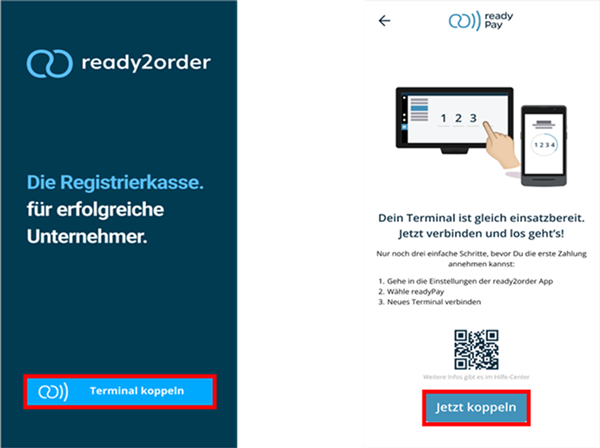
- Now switch on your readyMini Pay (press and hold the button at the top right of the device)
- On your readyMini Pay, tap Pair Terminal and then select Pair Now
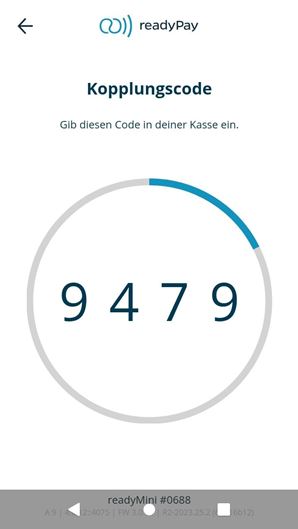
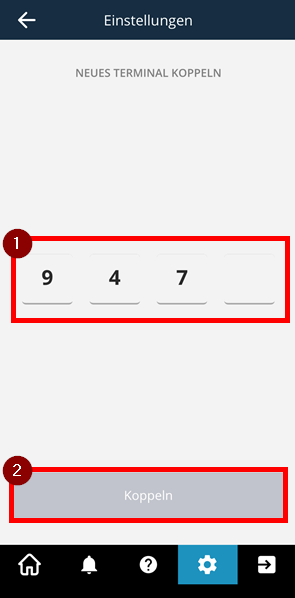
- A pairing code will appear. Enter this pairing code in the window opened in step 3 in your cash register system
- Your account is now linked to readyMini Pay
- Now select Start terminal mode on your readyMini Pay, read through everything carefully and then select Got it
- Done! Please make a test payment to make sure everything is working properly. The device may restart
Make payments with readyMini Pay? Here 's how.
Want to pause readyMini Pay? Click here .
Connect your readyMini Pay to your WiFi? This is how it works.
Want to pause readyMini Pay? Click here .
Connect your readyMini Pay to your WiFi? This is how it works.
Detailed instructions
- Log into your POS system on the device you are using
- Tap settings (gear) | Select readyPay | Select Pair new terminal
- Turn on your readyMini Pay (press and hold the button at the top right of the device)
- On your readyMini Pay, tap Pair Terminal and then select Pair Now
- A pairing code appears, as shown in the following image
- Enter this pairing code in the window opened in step 2 in your cash register system (1). The pairing now takes place automatically. If this is not the case, select Pair (2)
- Your readyMini Pay is now linked to your account
- Now tap on Start Terminal Mode, read the text in the window that appears and select Got it. You can now start making readyPay payments
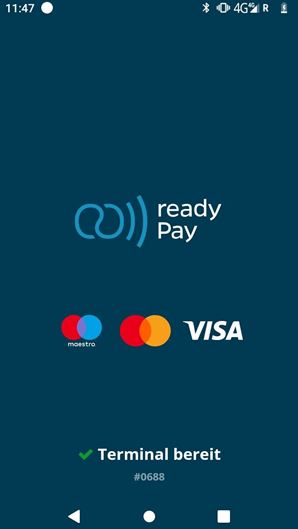
On your readyMini Pay you will now see that you are in active terminal mode and can accept payments.
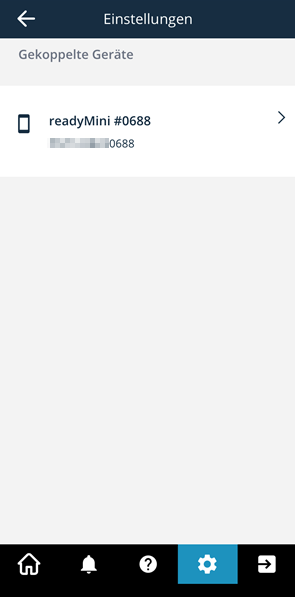
You will now see the paired device on the device on which you use your POS system.
You can now make payments in the checkout.
Make payments with readyMini Pay? Here 's how.
Want to pause readyMini Pay? Click here.
Connect your readyMini Pay to your WiFi? This is how it works.
Want to pause readyMini Pay? Click here.
Connect your readyMini Pay to your WiFi? This is how it works.
We also answer your support requests via chat. Click here to go to the chat.
