How can I use purchase prices for own consumption?
For own consumption — when you or your employees consume your own products — you must charge the purchase price instead of the sales price for tax purposes. With the dedicated payment method "Own consumption" in ready2order, this happens automatically. In this guide, we show you how to set up this payment method in just a few steps.
Step-by-step guide
- Log in to the admin interface.
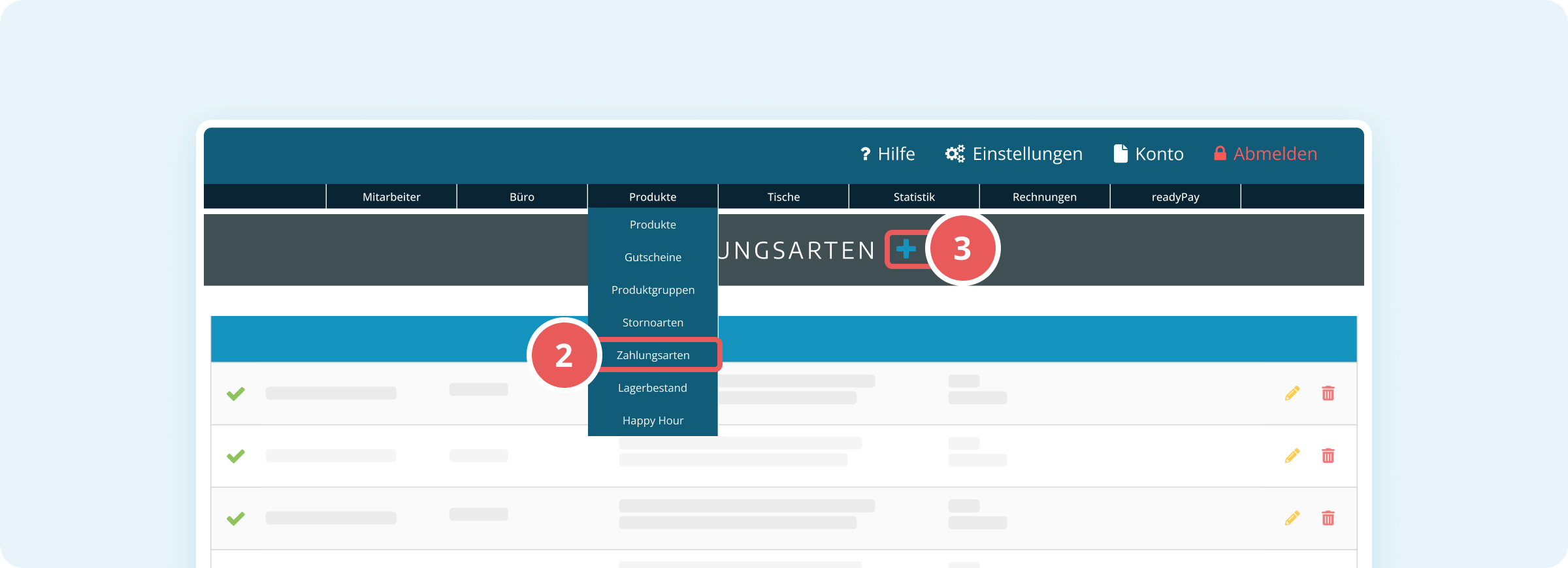
- Click Products in the top navigation bar and select Payment methods from the dropdown menu.
- Next to the page title "PAYMENT METHODS", click the blue plus icon (+).
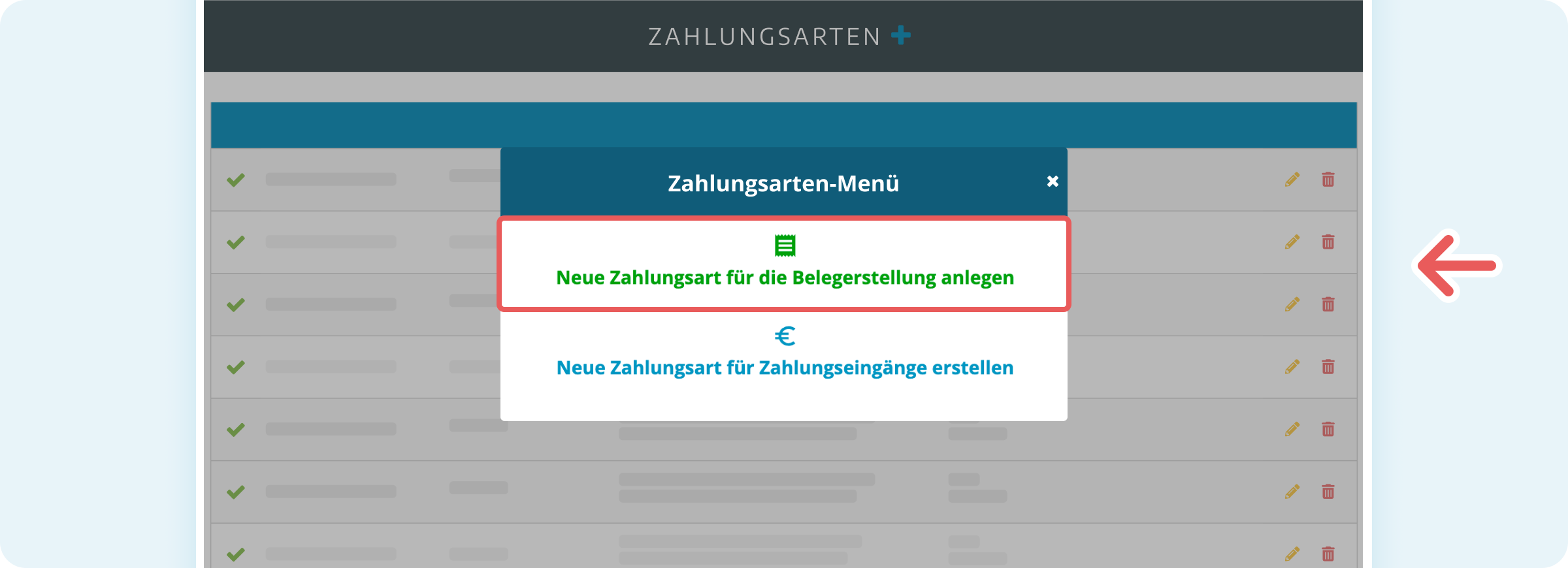
- In the Payment methods menu dialog, click Create new payment method for receipt creation (green receipt icon).
- In the Payment method tab, enter the following data:
- Type: Select Other from the dropdown menu
- Name: Enter Own consumption or something similar
- Active: Enable the toggle (green)
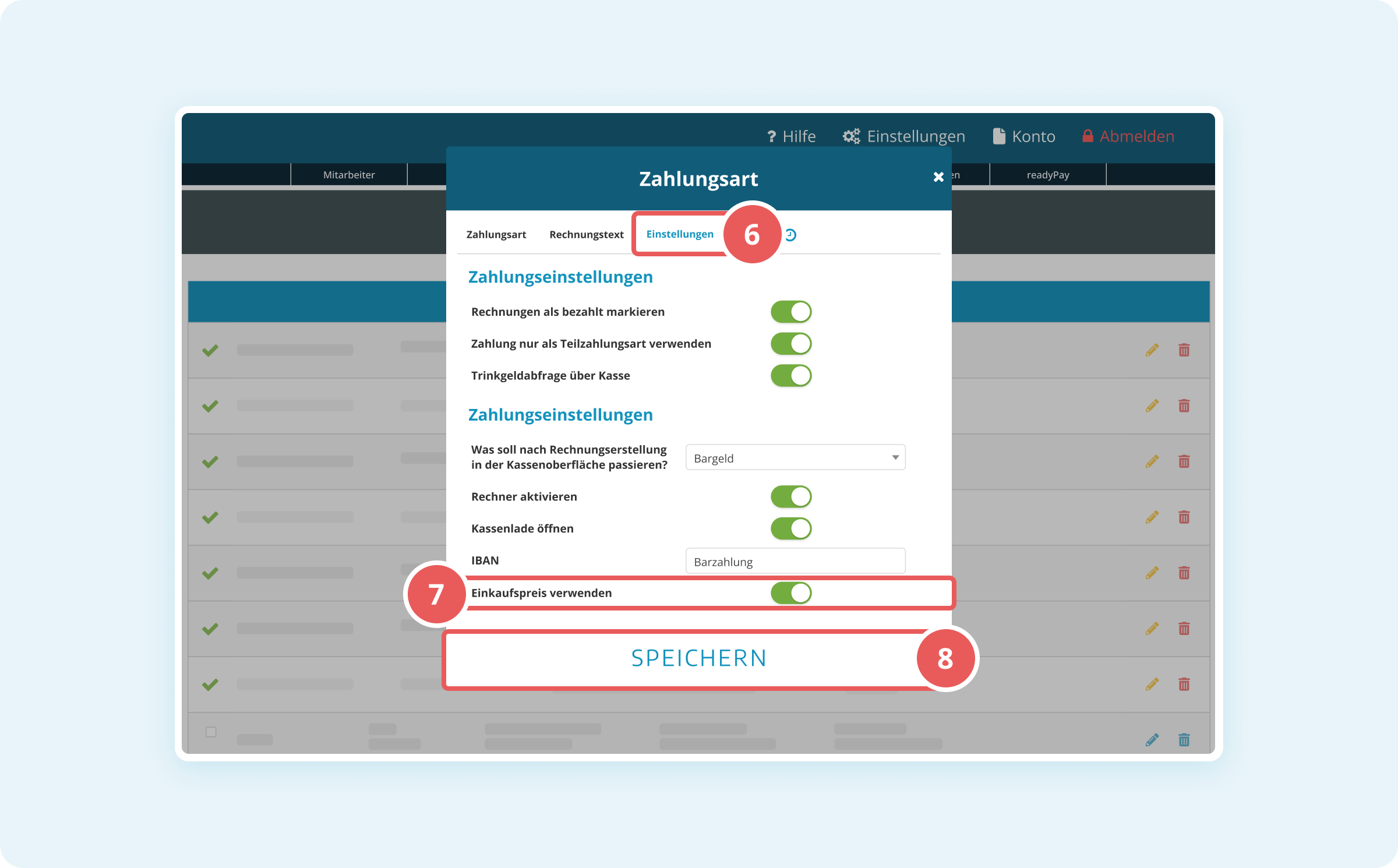
- In the dialog, switch to the Settings tab.
- Enable the toggle for Use purchase prices.
- Click SAVE at the bottom to apply the changes.
The payment method "Own consumption" is now set up and can be used in the POS interface.
Tip: As soon as you use the payment method "Own consumption" for an invoice, the items are automatically charged with the stored purchase price instead of the sales price. This saves you manual adjustments and helps ensure that your bookkeeping remains tax compliant.
Note: Make sure that purchase prices are stored for your products so the calculation works correctly.
