How to Connect Your readyGo to Wi-Fi
Connecting your readyGo to your Wi-Fi network is simple and is the recommended method for stable and reliable operation. Alternatively, an integrated SIM card is available if no Wi-Fi is available. This guide shows you how to connect your readyGo to your Wi-Fi network in just a few steps.
Step-by-Step Guide
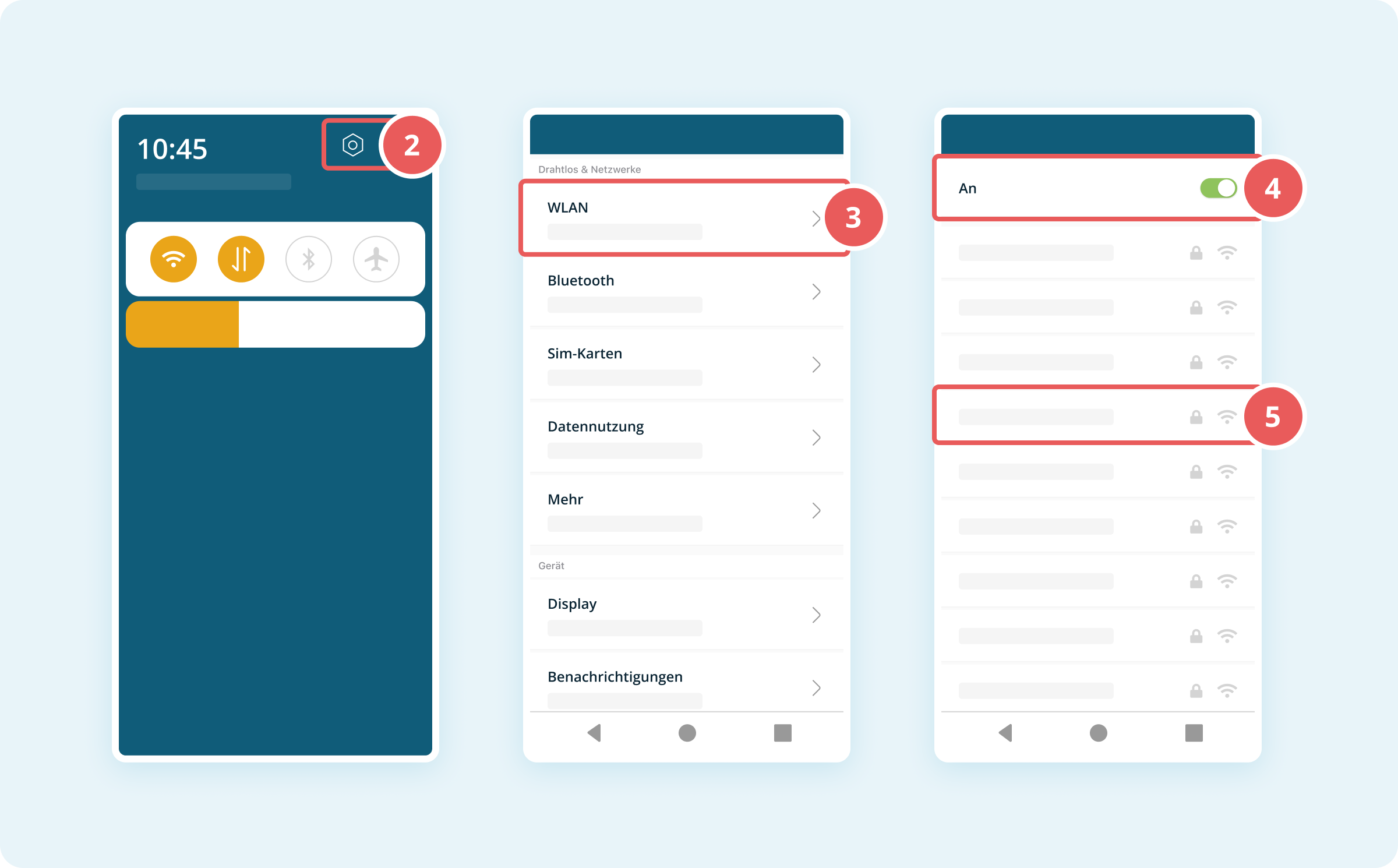
- Swipe down once from the top of the display to open the Status Bar.
- Tap the Settings button (gear icon) in the top right corner.
- Tap Wi-Fi.
- Toggle the switch next to Wi-Fi if it is not already enabled.
- Select your desired Wi-Fi network from the list of available networks.
- Enter your Wi-Fi password in the Password field.
- Tap Connect.
Your readyGo is now connected to the Wi-Fi network and ready for use.
